
WinSpirit Mobile App — Install and Play Pokies Anywhere in Australia

WinSpirit Casino brings its full games lobby to your phone, tablet or desktop through a lightweight app you install straight from your browser. There's no APK to hunt down and no app store listing to search through — one tap adds the WinSpirit icon to your home screen, and you're playing pokies and live tables within seconds. The app carries our entire catalogue of 4,700+ games, a cashier that runs in A$, and account access that stays in sync with the desktop site. Withdrawal requests are processed in up to 60 minutes on average, and our support team is on live chat 24/7. Install today and claim your free spins bonus on us. 18+, play responsibly.

Install the app
Add winspirit to your home screen and play in one tap — no store needed.
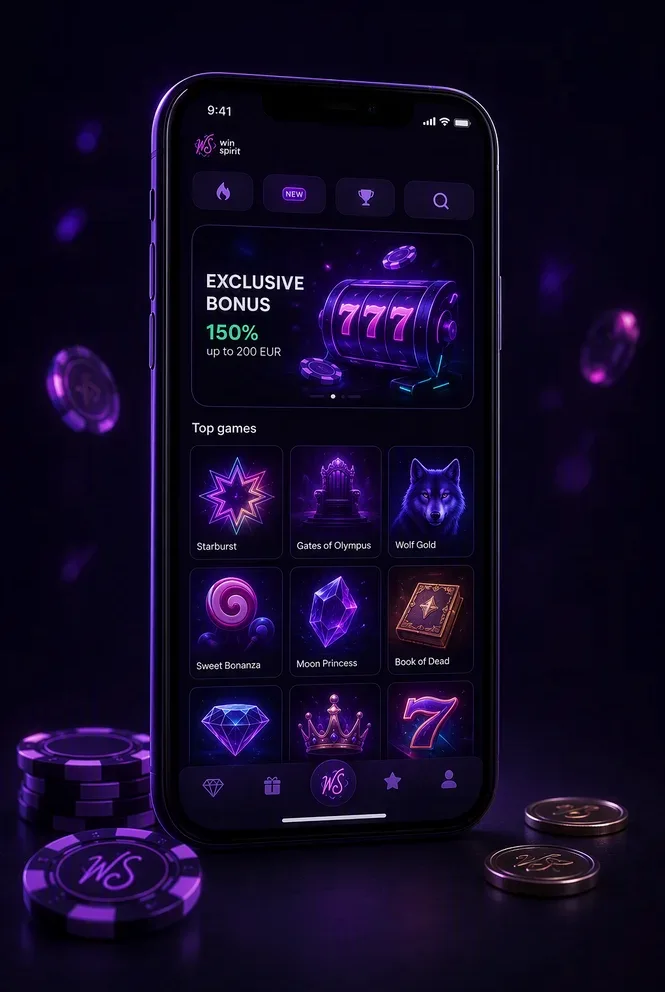
Installation on iOS
- Open nooiltax.com in Safari browser on your iPhone
- Tap the «Share» button at the bottom of the screen
- Choose «Add to Home Screen» and tap «Add»
Installation on Android
- Open nooiltax.com in Chrome browser on your Android device
- Tap «Three dots» on the top right
- Tap «Add to Home screen» and tap «Install»
Install the WinSpirit App in One Tap — No App Store Needed
The WinSpirit app runs on Progressive Web App technology, which means it installs directly from your mobile or desktop browser instead of a marketplace listing. There's nothing to download from a third-party site and no APK file to manage — the install prompt comes straight from the WinSpirit site itself, so the app you get is always the real one. Once it's added, the icon sits on your home screen or desktop exactly like a native app, opens full screen without an address bar, and updates itself in the background every time you launch it.
Because the same technology works across operating systems, the steps are nearly identical whether you're on an iPhone, an Android phone or a Windows or macOS computer — you just use a different browser menu to trigger the install. The table below shows where to find that option on each platform.
| Device | Browser | Where to find install |
|---|---|---|
| iPhone / iPad | Safari | Share menu → Add to Home Screen |
| Android phone / tablet | Chrome | Install banner or menu → Add to Home screen |
| Windows / macOS | Chrome or Edge | Install icon in the address bar |
Install on iPhone and iPad (Safari)
Open the WinSpirit site in Safari — this only works in Safari, not in Chrome or Firefox on iOS. Tap the Share icon at the bottom of the screen, then choose Add to Home Screen from the menu. Confirm the name and tap Add. The WinSpirit icon appears on your home screen and opens in full screen, with no address bar in sight. The app updates itself automatically, so you never need to repeat these steps or download anything again. It works on current versions of iOS.
Install on Android (Chrome)
Open the WinSpirit site in Chrome and look for the Install app banner at the bottom of the screen — tap it to add the app in one step. If the banner doesn't appear, open the Chrome menu (the three dots) and select Add to Home screen instead, then confirm. No APK file changes hands at any point, so there's nothing to download from outside the browser. The icon lands in your app list alongside your other apps and works on current versions of Android.
Install the Desktop App for Windows and macOS
On a computer, open the WinSpirit site in Chrome or Edge and click the install icon that appears in the address bar. Confirm the prompt and the app opens in its own window, separate from your regular browser tabs. It's a handy option if you like running live tables on a second monitor or want quick access without hunting through open tabs. The desktop app shares your account, balance and bonus progress with the mobile version.
A No-Deposit Free Spins Bonus for Installing the App
Installing the app unlocks a no-deposit free spins bonus — just install, log in to your WinSpirit account and open the promotions section inside the app to activate the offer. There's no code to enter; the spins land on your account automatically once you claim them there. They apply to a selection of pokies, and standard Bonus Terms and Conditions cover wagering, eligible games and the validity window, so it's worth a quick read before you start spinning. If you haven't created an account yet, sign up first, choose A$ as your account currency, then come back to the app to claim your spins. Winnings from bonus play follow the same withdrawal process as the rest of your balance, and completing verification early keeps things moving once you're ready to cash out.
What You Get Inside the App: 4,700+ Pokies and Live Tables
Once the app is on your home screen, you land in the same lobby we run on desktop, just built for a smaller display. The catalogue holds 4,700+ titles from more than 70 software providers, covering pokies, live dealer tables, tournaments and the Gift Shop in one interface. Pokies open in portrait mode with swipe navigation between categories, so browsing new releases or jumping back to a favourite takes a couple of thumb taps rather than a full page reload.
Live tables switch to landscape for the best view of the dealer, and our own WinSpirit Baccarat sits alongside Gravity Roulette, Speed Baccarat 1 and Mega Fire Blaze Blackjack Live. Your favourites list syncs across the app, mobile site and desktop, so a game you save on your phone is already there when you log in from a laptop later. For the full breakdown of titles, RTP and volatility, our pokies catalogue has the details.
Deposits and Withdrawals from Your Phone in A$
The cashier is built directly into the app and runs entirely in Australian dollars. You can top up with cards or crypto, including BTC, ETH, TRX and USDT, and once a method is saved, repeat deposits take just a few taps. Every amount on screen shows the A$ figure before you confirm, so there is no guessing at conversion.
Withdrawal requests move into processing in up to 60 minutes on average once your account verification is complete, and you can track the status from the transaction history screen without leaving the app. We don't add our own fee on top of a withdrawal, though your bank or the blockchain network may apply one on their side. Current methods, minimums and limits are all listed on our payment methods and limits in A$ page, since the exact figures depend on the method you pick.
Supported Devices, Notifications and App Security
The app runs on any modern operating system: iPhone and iPad through Safari, Android phones and tablets through Chrome, and Windows or macOS desktops through Chrome or Edge. Because games stream rather than download, it takes up minimal storage, and the main requirement is a stable connection, especially for live dealer tables.
Push notifications let you know about tournament stages, prize drops and active promotions without needing to open the app first. On the security side, we run the same encrypted connection as the desktop site, and payment details are never stored on your device. Where your device supports a screen lock, it adds a layer on top of your account password automatically. Responsible gambling tools live right in the app menu too: deposit limits, session reminders and self-exclusion, all set in A$. Play is for those 18 and over, and free confidential support is available from Gambling Help Online on 1800 858 858.
Mobile Site or App: Which to Choose
Both channels open the same WinSpirit account, the same balance in A$ and the same game catalogue, so the choice comes down to convenience rather than features. The mobile site needs no installation at all, which suits a quick session on a borrowed device. The installed app starts faster once it's on your home screen, adds push notifications for promotions and tournaments, and is how you claim the install offer.
Switching between the two never resets anything: log in on either one and your progress, favourites and VIP status are exactly where you left them. If you play often, installing the app saves the extra step of opening a browser each time.
In-App Support: Live Chat 24/7
Help is always one tap away from the bottom menu of the app. Live chat runs 24/7, so whether it's a question about a deposit, a game that won't load or trouble finishing the install, our team is reachable at any hour. You can also reach us by email at [email protected] if you'd rather write things out.
Installation issues, like an icon that doesn't appear or a login that won't go through, are some of the most common questions we handle, so don't hesitate to ask if something looks off after setup.